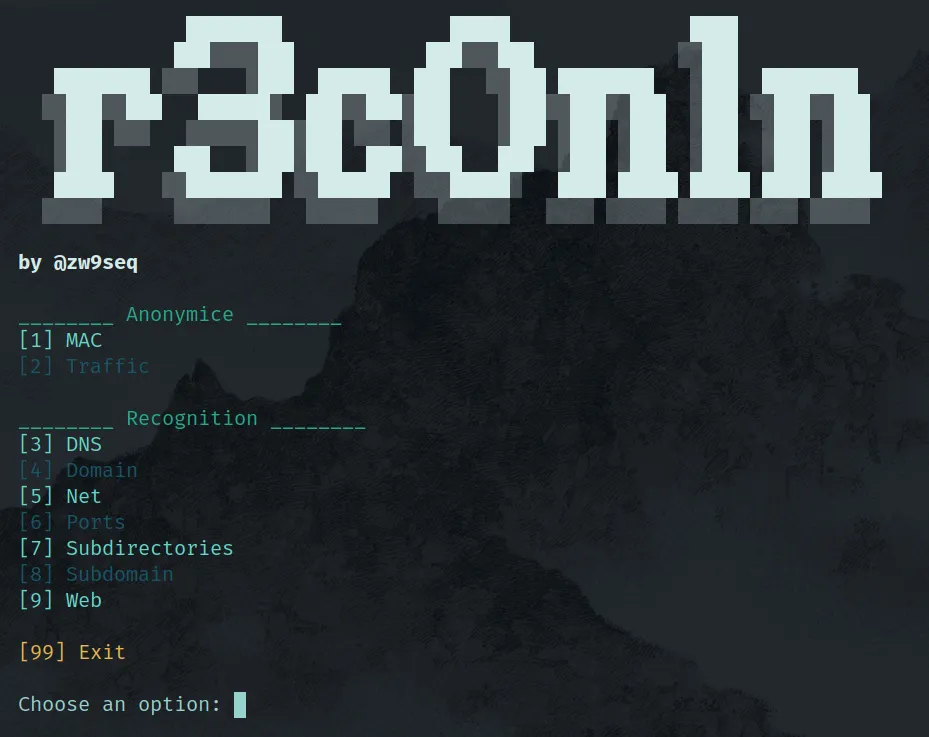
Recon1n

Are you looking for a tool to use during your recoinassance? Recon1n is here to help you! I have developed this script so that you don’t have to be searching for the right command to run while trying to extract valious data from your target.
Recon1n is a Bash Script suite design to identify potential vulnerabilities and attack vectors in a target system or network, having the posibility to anonymice your traffic in a very simple way. It’s very easy to use because the interaction with the program is done through a menu where you have up to 9 different actions to carry out.
You can download it from my GitHub repository.
Key Features
The tool has 9 different posibilities of use, which are divided into 2 categories:
- Anonymice
- Change your MAC
- Encrypt your traffic
- Recognition
- Query DNS servers
- Gather info about the domain propietary
- Scan a network
- Look for open ports in your target
- Search for web subdirectories
- Discover subdomains
- Search vulnerabilities in a web server
Installation
Clone the Repository
Start by cloning the repository to your preferred directory:
git clone https://github.com/zw9seq/recon1n
cd recon1n
Install Dependencies
Next, grant execute privileges to the scripts and install the required dependencies using the setup.sh script:
chmod +x setup.sh
chmod +x recon1n
./setup.sh
Once the necessary packages are installed, you will need to configure the script to work properly.
Configuration
Open the script with your preferred text editor. For example:
nano recon1nThen, modify the following lines:
small_list=""
medium_list=""
big_list=""
You need to specify the paths to your desired wordlists for subdirectory fuzzing. A comprehensive set of wordlists can be found here: [https://github.com/danielmiessler/SecLists].
Optional Configuration: Adding to System PATH
For easier execution, you can add the script to your system’s PATH. To check your current PATH, run:
echo $PATHTypically, you’ll want to place the script in the /usr/local/bin directory. To do this, run:
sudo cp recon1n /usr/local/binThis allows you to run the script from anywhere on your system without needing to navigate to the script’s directory.
How to use it
In order for the script to work properly you must run it as root.